- Folders belong to a project and hold its assets, like folders on your computer, except that one asset can be in several at once.
- Labels belong to your organization. They tag assets in every project, so you can find, for example, every hero shot across your work.
Folders
- An asset can be in any number of folders. Adding it to another folder doesn’t take it out of the ones it’s already in.
- An asset that isn’t in any folder shows in Unfiled.
- Folders can hold subfolders. A folder’s count includes what’s in its subfolders.
- To keep a folder at the top of your sidebar, open its menu and choose Pin folder. Pins are personal, so they don’t change anyone else’s view.
Labels
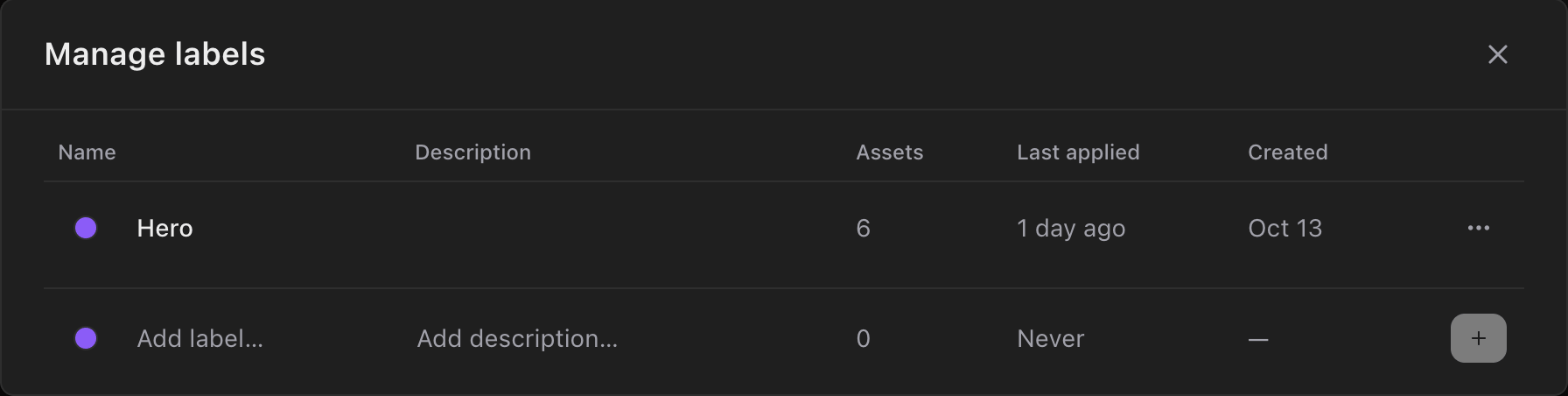
Each label has a name, a color and an optional description. Labels show as colored dots on Library tiles.- Anyone in your organization can add labels to assets, or remove them.
- Owners and Admins create, edit, archive and delete labels in Manage labels, from the Labels filter in the Library. Archiving a label keeps it on the assets that have it. Deleting it removes it from them.
- An organization can have up to 100 labels in use. Names can be up to 40 characters.