
Get an invitation

ZeroGen is invitation-only. An Owner of your organization invites you by email, and Admins can too if the organization allows it. The invitation comes from WorkOS, the service ZeroGen uses for sign-in. To accept it, follow the link in the email, or sign in with the email address it was sent to.

Sign in

  1. Go to zerogen.com/login.
  2. Enter your email address and choose Continue with email, then follow the steps on screen. Or choose Continue with Google.
  3. If you belong to more than one organization, choose the one to open.
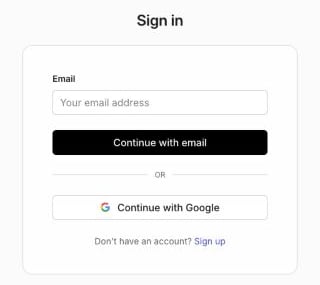
The ZeroGen sign-in page, with an email field, a Continue with email button, a Continue with Google button and a Sign up link.
The page also offers Sign up, but you still need an invitation to get in. See Not invited yet. Each organization has its own address, such as your-team.zerogen.com. Bookmark it to go straight there next time.

Setting up your access

The first time you sign in after an invitation, you may see Setting up your access while your membership activates. If it doesn’t finish, choose Check access again.

Not invited yet

You haven’t been invited yet or No organizations yet means your account isn’t a member of any organization. Ask an Owner or Admin of your organization to invite you, then sign in with the address the invitation was sent to.

Switch organizations

Open the account menu in the top-right corner and choose Switch Organization.

Sign out

Open the account menu in the top-right corner and choose Sign Out.