

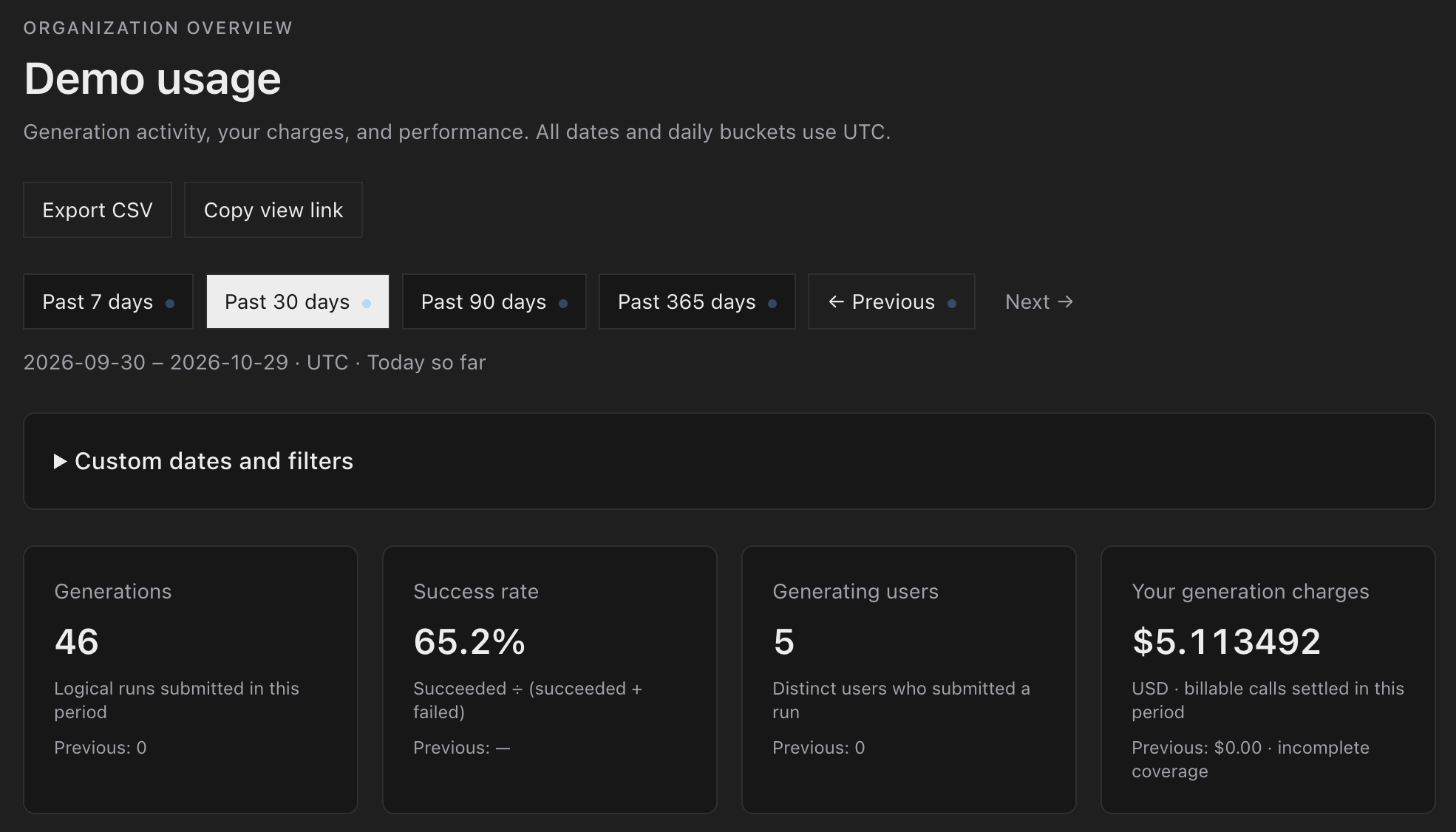
Choose a period
Choose Past 7 days, Past 30 days, Past 90 days or Past 365 days, and step back or forward with Previous and Next. To pick exact dates or narrow the numbers, open Custom dates and filters. You can choose a date range of up to 366 days, and filter by model, generation type, person and project. Then choose Apply filters.What it shows
- Generations: how many generations people started.
- Success rate: the share that succeeded, out of those that succeeded or failed.
- Generating users: how many people started at least one.
- Your generation charges: what was charged for generations that settled in the period, to the millionth of a dollar.
- Generation volume and Generation charges chart each day.
- Spend by model, Top models and Top projects show where activity and spending went. Select a model or project to filter by it.
- Further panels break the numbers down by model, failure and day. A generation with no billing record shows no cost, and Billing coverage counts them.
Share or export
- Copy view link copies a link to the page with your period and filters.
- Export CSV downloads the data as a CSV file.